
01 · The loop

Collect every signal from the field.

Reporting friction is why hazards stay invisible. Safety Radar makes capture so simple that crews actually use it, on the device already in their pocket.

Conversational intake

AI safety assistant

Crews describe what happened. The assistant builds the report.

The assistant detects the right form, asks only for the fields that are missing, accepts photos and files, and keeps a live scratchpad before creating or updating a submission. No form-hunting, no dropdown maze.

  • Form detection. Nobody has to know which form to file. Describing what happened is enough.
  • Guided gaps. Reports arrive complete the first time, without a supervisor chasing missing fields.
  • Live scratchpad. The draft stays visible as it builds, so a dropped call never costs the report.
Explore AI safety assistant
SRCoterra · Gulf DivisionAI assistant
Live

Near miss at Compressor 6. Rain made the east stairwell slick.

I matched the Incident Report form. I still need severity, a location confirmation, and a photo if you have one.

High potential. Photo attached. Assign follow-up to maintenance.

Form matched Photo attachedOwner: Maintenance
Ask or describe what happened…
Frontline capture

Mobile incident reports

Event, free, and routed forms submitted from the field in seconds.

Crews submit reports from Safety Center with location, equipment, photos, files, signatures, and user context attached automatically. Built for gloves, sunlight, and spotty signal.

  • Rich context. Nothing gets lost between the field and the file, every report arrives with the context an investigation actually needs.
  • Evidence built in. Photos, files, and signatures are captured while the crew is still standing there, not reconstructed a week later.
  • Offline tolerant. A dead zone does not cost you the report. Drafts hold until signal comes back.
Explore Mobile incident reports

New report

Draft

Near-miss incident

Form type

EventFreeRouted

Severity

High potential

Location

Compressor 6 · Stairwell

Photo, weather, and equipment attached
Submit report

Workflow creation

AI form builder

Describe a process or upload a PDF. Get a routed form.

Upload a PDF or describe a process in plain language and Safety Radar maps fields, sections, signatures, files, routing status, and conditional logic across more than twenty field types.

  • PDF to form. The forms your team already uses become routed digital forms, so rollout does not start by rewriting them.
  • Twenty plus fields. Every field type a real safety form needs, mapped automatically from what you already have, not a form-builder you have to learn.
  • Conditional logic. Crews only see the questions that apply to what they actually reported.
Explore AI form builder
SRHesselbein Tire Southwest · Fleet ServicesForm builder
Live
Short textChoiceSignatureFileMapRoutingRepeat table

Hazard type

Single choice

Severity

High potential / Minor / Info

AI added

Photo evidence

File upload

Add a near-miss severity field

Field app

Safety Center

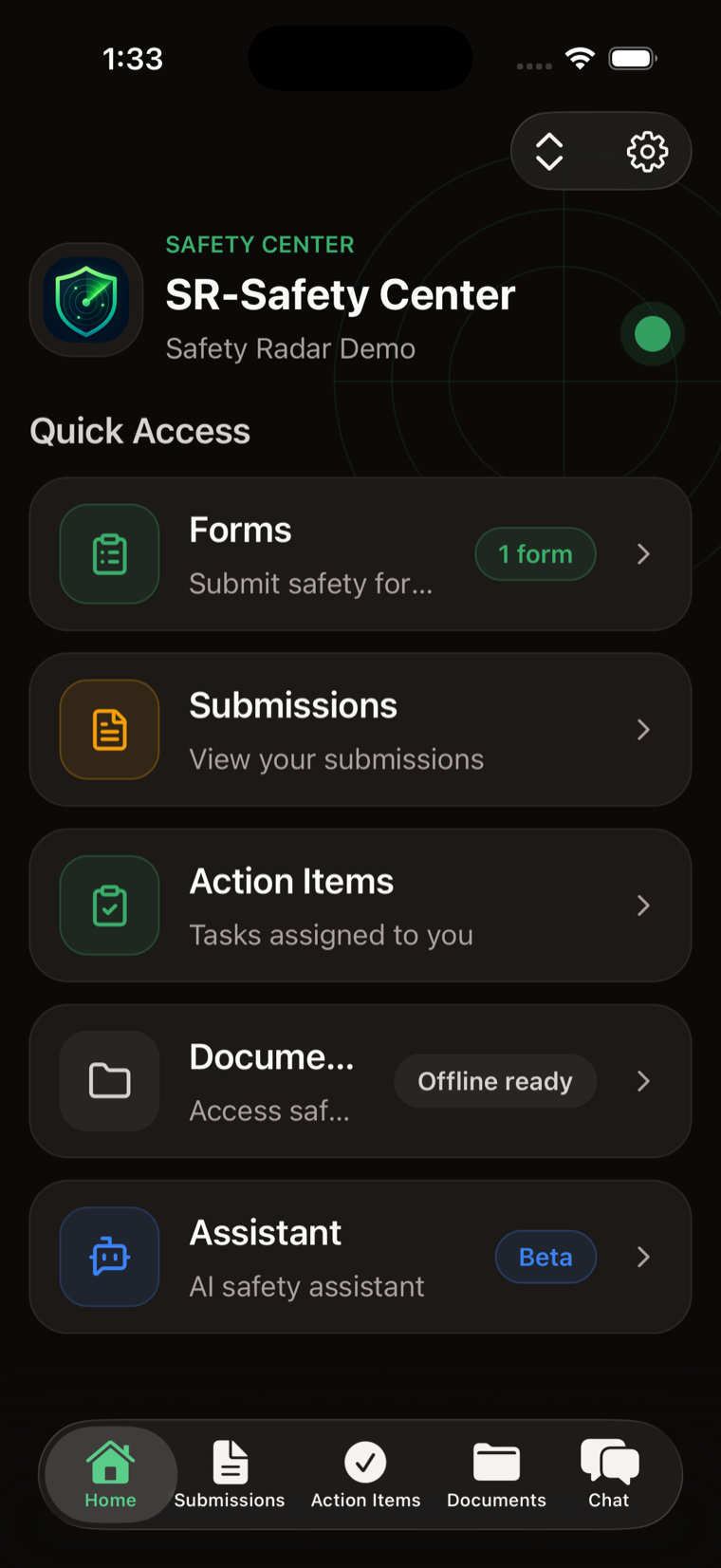
One link for everything safety-related.

Scan a QR code, verify by email or phone, and every safety task lives behind that single link: submit a report, ask a question, check an action item, pull up a document, even reach a system outside Safety Radar if that is where something already lives.

  • QR sign-in. No app store, no account setup, no IT ticket. A crew is filing on day one.
  • One place for everything. Reports, documents, action items, and the assistant behind a single link, instead of five logins for five tools.
  • Org branding. It carries your organization's name, so it reads as your safety program and not a vendor's.
Explore Safety Center
Safety Center mobile app home: Forms, Submissions, Action Items, Documents, and the AI Assistant in Quick Access.